See Results Before You Send
Validify simulates real-world delivery by sending your test email to a diverse network of seed addresses across global mailbox providers. Within minutes, you’ll see where your message lands for each.

Before you hit send, find out how your messages perform across major inbox providers. Validify’s Inbox Placement Testing shows whether your emails land in the inbox, promotions, or spam—so you can pinpoint issues and boost deliverability.

Deliverability doesn’t end when your email is “delivered.” Understanding where it lands is what separates average senders from high performers.
If your emails consistently go to spam or the promotions tab, open rates, conversions, and ROI all suffer. Inbox Placement Testing gives you real-world insights into how mailbox providers categorize your campaigns—so you can optimize your sending strategy before it impacts results.
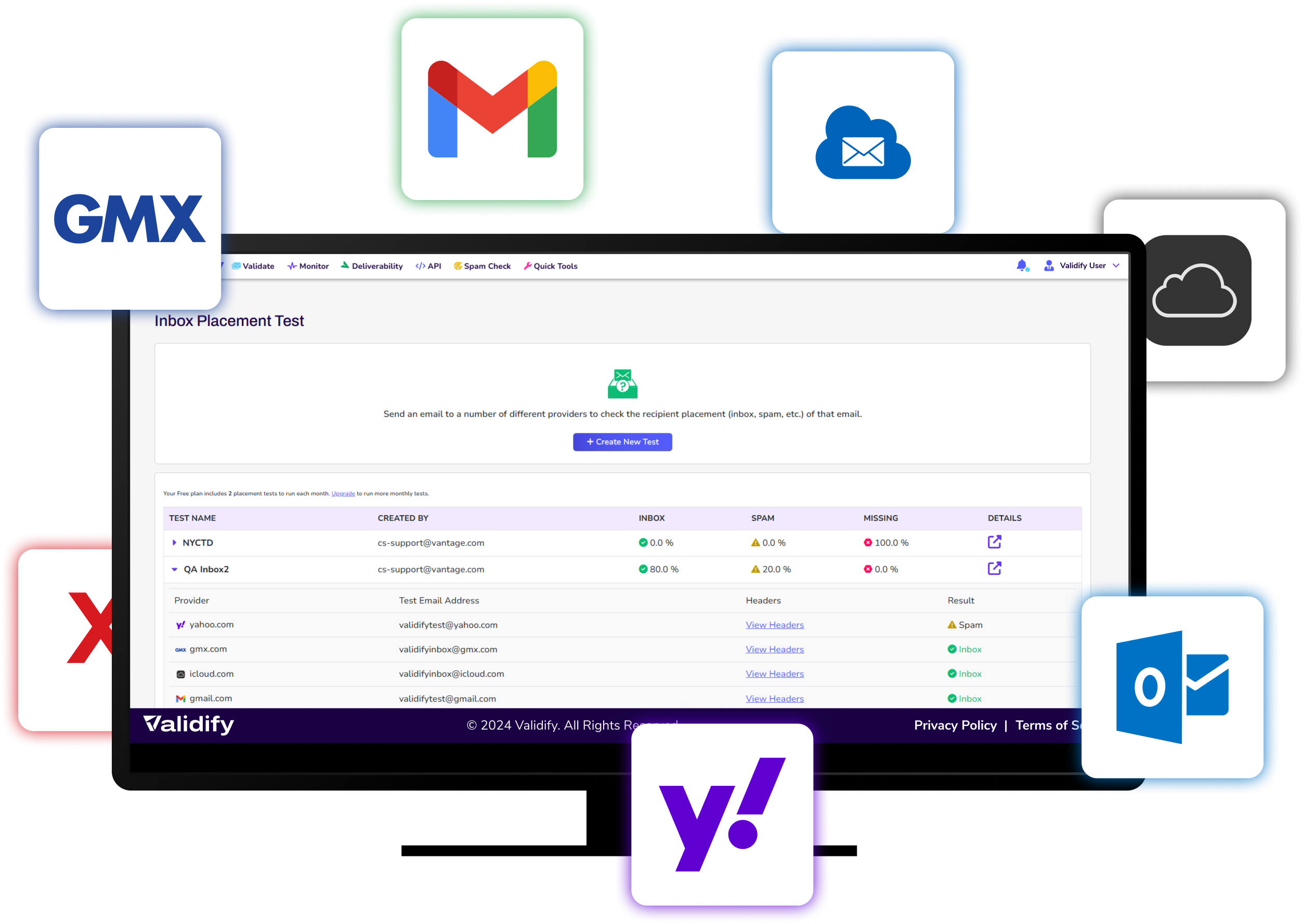
Validify simulates real-world delivery by sending your test email to a diverse network of seed addresses across global mailbox providers. Within minutes, you’ll see where your message lands for each.

See inbox, promotions, and spam placement

Gmail, Outlook, Yahoo, iCloud, and GMX

Monitor placement performance over time
With clear visibility into where your emails land, you can take intelligent steps to improve your deliverability strategy.
STEP 1
Log in (or start the free trial) and navigate to Inbox Placement Test from the deliverability tools area. Have your email ready to submit as you plan to send it.
STEP 2
Use the tool to run the test email through Validify’s placement process, which simulates real-world delivery by sending your message to a diverse network of seed addresses across global mailbox providers.
STEP 3
Within minutes, review results showing where you landed (Inbox / Promotions / Spam) and the provider breakdown (e.g., Gmail, Outlook, Yahoo, iCloud, GMX). Make your adjustments and re-test; use trend tracking to monitor placement over time.
“Delivered” only means the receiving server accepted the message. Inbox placement tells you where it landed—Inbox, Promotions, or Spam—which is what drives opens and revenue. Validify’s Inbox Placement Testing is designed specifically to show the folder/category outcome before you send a full campaign.
Validify simulates real-world delivery by sending your test email to a diverse network of seed addresses across mailbox providers, then reports where each message lands within minutes. This is the practical way to spot provider-specific filtering (e.g., Inbox vs Promotions vs Spam) before it impacts a live send.
Validify reports results by platform across major providers, including Gmail, Outlook, Yahoo, iCloud, and GMX, so you can see placement differences by provider instead of relying on a single inbox check.
Placement is influenced by more than list quality. Common drivers include authentication/alignment issues (SPF/DKIM/DMARC), sender reputation, engagement signals, complaints, and content/link patterns that look risky. That’s why inbox placement testing is most effective when paired with authentication and content diagnostics.
Run it when the business impact is highest or risk is elevated, including:
Before major promotions or lifecycle launches
During domain/IP warmup
After changing ESPs, sending infrastructure, or templates
When open rates drop or spam complaints rise
Validify also supports trend tracking so you can monitor placement performance over time rather than treating testing as a one-off.
Use results as a decision tree:
Spam at one provider → check authentication/alignment, complaint rate, and reputation signals for that provider
Promotions-heavy in Gmail → adjust content/layout/link patterns and sending behavior to reduce “bulk promotional” signals (not “trick” Gmail—optimize for trust and relevance)
Inconsistent placement over time → look for volume spikes, segmentation changes, new link domains, or list-source shifts
Provider guidance also emphasizes baseline compliance (authentication, unsubscribe support, low complaint rates) as table-stakes for bulk sending, so improvements often start with tightening those fundamentals.
© 2026 Validify. All Rights Reserved.