
Inbox Placement: Why Your Emails Aren’t Landing Where You Think They Are
Published by Validify.ai | Category: Email Deliverability
Here’s something that keeps email marketers up at night: you can have a 99% delivery rate and still have a third of your list never see your message.
That’s the inbox placement problem in a nutshell. And it’s more common than most people realize.
Delivery rate tells you whether the receiving mail server accepted your email. Inbox placement tells you what happened after that — whether it ended up in the inbox, got filtered to spam, or got quietly buried in a Promotions tab. These are very different things, and conflating them is one of the most expensive mistakes you can make in email marketing.
We’ve worked with enough senders at Validify.ai to know that inbox placement is usually the last thing people look at and the first thing they should. So this post is our attempt to lay it all out — what inbox placement actually is, what drives it, and what you can do about it.
What Inbox Placement Actually Means
Inbox placement is exactly what it sounds like: the percentage of your sent emails that land in the recipient’s primary inbox. The formula is simple enough — take the number of emails that reached the inbox, divide by the total number sent, multiply by 100.
What’s not simple is everything happening behind the scenes to determine that outcome.
When you hit send, your email travels to the receiving mail server. That server accepts it (hence, “delivered”) and then its internal spam filters go to work. They’re looking at dozens of signals — your IP’s reputation, your domain’s history, whether your authentication records check out, how your other emails have performed, what the content looks like, and what that specific recipient has done with emails from you in the past. All of this happens in milliseconds.
The result is placement: inbox, spam, or somewhere in between (the Promotions tab on Gmail, for instance). A good inbox placement rate sits at 85% or higher. Top senders — the ones who’ve really dialed in their programs — are typically at 90 to 95 percent. If you’re below 80%, something is wrong and it’s worth finding out what.
The Deliverability vs. Inbox Placement Confusion

We see this mixup constantly. Deliverability — in the strict sense — means your email wasn’t bounced or rejected. The server took it. That’s it. It says nothing about where the email went once it was inside.
Think of it like getting a package delivered to an apartment building. Deliverability means the driver successfully dropped it at the building. Inbox placement is whether it made it to the right unit or got left in a pile in the basement. You need both to work.
The reason this matters practically: most email service providers report on delivery rates, not inbox placement. So you can look at your dashboard, see 98% delivery, feel good, and have no idea that 35% of those emails are sitting in spam right now. Inbox placement testing is the only way to know what’s actually happening.
Why Inbox Placement Should Be Your North Star Metric
Every other email metric downstream of inbox placement is affected by it. Open rates, click rates, revenue per email, list growth — they all get worse when inbox placement gets worse. This isn’t theoretical.
An email that goes to spam doesn’t get opened. An email that doesn’t get opened doesn’t get clicked. A subscriber who consistently finds your emails in spam either ignores them there or marks them as junk, which further damages your reputation and pushes more of your future emails into spam. It’s a feedback loop that’s easy to slide into and genuinely difficult to climb back out of.
There’s also the slower, quieter damage: list decay. When subscribers stop seeing your emails — because they’re in spam — they go stale. They stop engaging. Over time, a significant portion of your list becomes a liability rather than an asset, and you don’t know it because your delivery rate still looks fine.
The business case for caring about inbox placement is straightforward. Senders who actively manage it consistently outperform those who don’t, often by meaningful margins on revenue-per-send. It’s not a small edge. For high-volume email programs, the difference between 82% and 94% inbox placement can translate directly into significant revenue.
What’s Actually Driving Your Inbox Placement
There’s no single lever you pull to fix inbox placement. It’s a composite of several overlapping factors, and understanding all of them is what separates senders who consistently hit the inbox from those who struggle.

Sender Reputation
Your reputation is probably the biggest single factor. Mail providers evaluate both your IP address and your sending domain, and they’ve been building profiles on both for years. If you’re sending from a fresh IP or a domain that’s never sent at scale before, you start with no reputation — which is treated almost as suspiciously as a bad one.
IP reputation is exactly what it sounds like: the history associated with that IP address. If a previous sender used it to blast spam, that history doesn’t disappear overnight. Domain reputation is increasingly how Gmail and others make placement decisions — your domain’s overall track record across all mail providers, across time. And if you have subdomains, their reputations are tracked separately. A lot of senders don’t realize this, and they’re accidentally poisoning their primary domain reputation by running marketing campaigns through it while also sending transactional email.
Authentication: SPF, DKIM, DMARC
Authentication is table stakes. Without it, you’re asking mail providers to trust you on your word. With it, you’ve at least proven you control the domain you’re sending from.
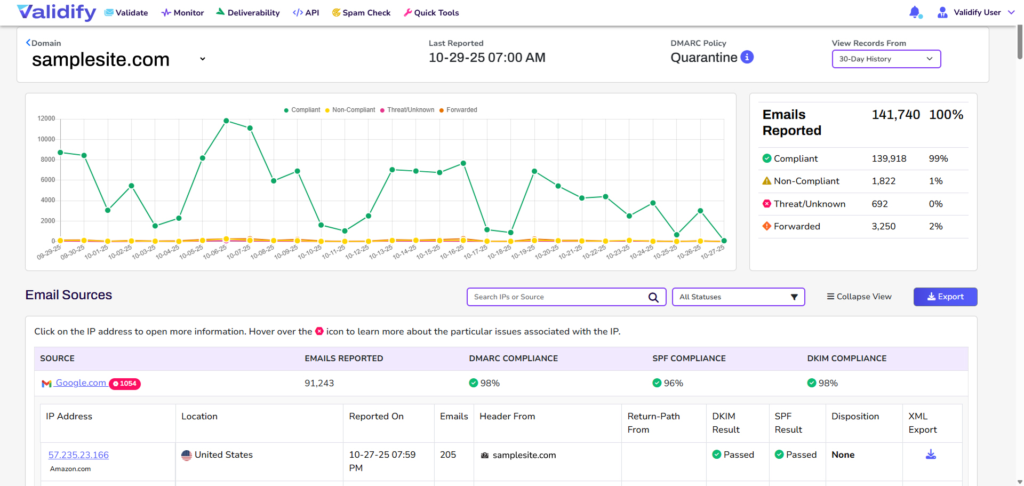
SPF tells receiving servers which IP addresses are authorized to send on your domain’s behalf. DKIM attaches a cryptographic signature to each email that verifies it hasn’t been altered in transit. DMARC ties these together and tells providers what to do if either check fails — and critically, it gives you visibility into who’s sending email that claims to be from your domain.
Here’s where a lot of senders go wrong: they set up DMARC at p=none (monitor-only mode) and leave it there. That’s fine as a starting point, but p=none doesn’t protect you and doesn’t signal enforcement to inbox providers. The goal is to work toward p=quarantine and eventually p=reject — which tells providers to treat unauthenticated mail from your domain as spam or reject it outright. Getting there takes time and careful monitoring, but it’s worth it.
BIMI is worth mentioning too. It’s a newer protocol that lets you display your brand logo in the inbox. It requires DMARC enforcement to implement, which is one more reason to get your DMARC house in order. The logo is a nice trust signal — and anything that improves engagement helps inbox placement.
Engagement Signals
Modern inbox providers — Gmail especially — have gotten very good at learning from what recipients do with your emails. Opens, clicks, replies, and moving emails out of spam are positive signals. Hitting the spam button, deleting without opening, or just ignoring emails over time are negative ones.
This is why sending to a big, stale list is so counterproductive. Every email that goes ignored is a small negative vote. Enough of those, and your emails start landing in spam even for subscribers who do want to hear from you. The algorithm doesn’t know who’s interested and who isn’t — it just sees patterns.
Spam complaints are the most damaging engagement signal of all. The general guidance is to keep your complaint rate below 0.10%. Above 0.30% and you’re going to see automatic filtering from most major providers. It adds up fast: if you’re sending to 100,000 people and 300 of them mark you as spam, you’re already in dangerous territory.
List Quality
This one is close to our hearts at Validify.ai, because it’s where we spend most of our time.
Who you’re sending to has a direct and immediate impact on inbox placement. Invalid addresses that hard bounce tell providers your list hygiene is poor. Spam traps — addresses specifically maintained by blocklist operators to catch senders who aren’t cleaning their lists — can get your IP or domain blocklisted in a hurry. Consistently unengaged addresses drag your engagement metrics down and pull your placement scores with them.
Email addresses also go bad naturally. People change jobs, abandon old accounts, or simply stop using an address. The decay rate varies, but rough industry estimates put it around 2 to 3 percent per month. That means a list that was perfectly clean a year ago may have 25 to 30 percent invalid or inactive addresses now. Sending to them isn’t neutral — it actively hurts you.
Content and Technical Setup
Content matters less than it used to, but it’s not irrelevant. Spam filters still flag certain patterns: heavy images with very little text, links to domains with poor reputations, missing or broken unsubscribe links, subject lines that look deceptive. None of these are likely to be the primary cause of your inbox placement problem, but they can compound other issues.
The technical basics are simple: always send a plain-text version alongside HTML, keep your image-to-text ratio reasonable, make sure your unsubscribe link works, and don’t use misleading subject lines. These won’t move the needle dramatically on their own, but they’re easy wins and they matter at the margin.
How to Actually Measure Inbox Placement
The frustrating thing about inbox placement is that your ESP’s dashboard won’t tell you about it. Most email platforms report on delivery (accepted vs. bounced) and engagement (opens, clicks), but not on whether accepted emails landed in the inbox or spam.

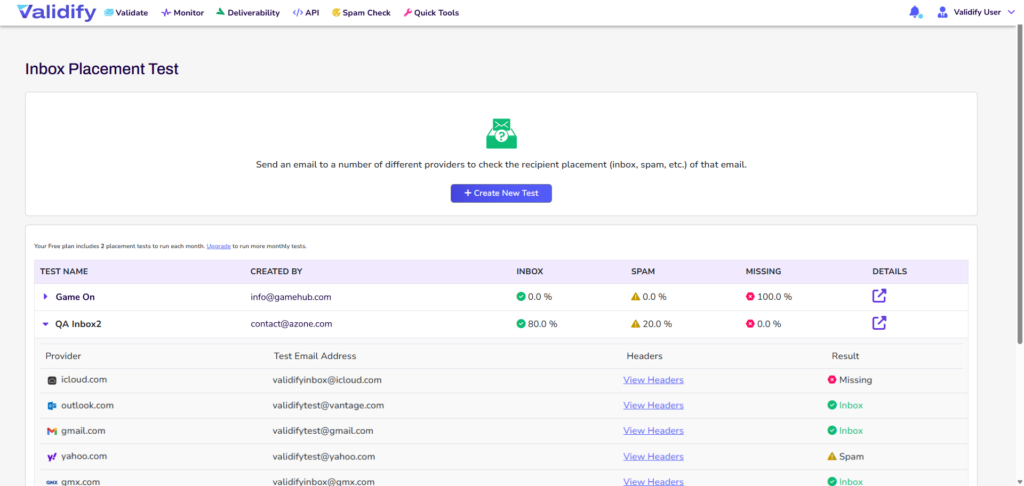
To measure inbox placement, you need seed list testing. A seed list is a set of real email addresses across all the major inbox providers — Gmail, Outlook, Yahoo, and others. You send your campaign to this seed list, and a tool checks where each email landed. That gives you a breakdown: what percentage hit the inbox, what percentage went to spam, what percentage went to Promotions or other tabs, and what percentage appear to have been blocked entirely.
This isn’t a perfect science — seed list results can vary somewhat from what your real subscribers experience — but it’s the best proxy we have. Running these tests before major campaigns, when you change sending infrastructure, or whenever you see unexplained drops in engagement is standard practice for serious email programs.
What you’re looking at: overall inbox placement rate, but also broken down by provider. You might be landing in the inbox 95% of the time on Outlook and only 60% of the time on Gmail. Those are very different problems with very different solutions. Provider-level data is important.
Practical Ways to Improve Your Inbox Placement
Here’s what actually works, drawn from what we’ve seen make a real difference for senders at various stages.

Start with your list
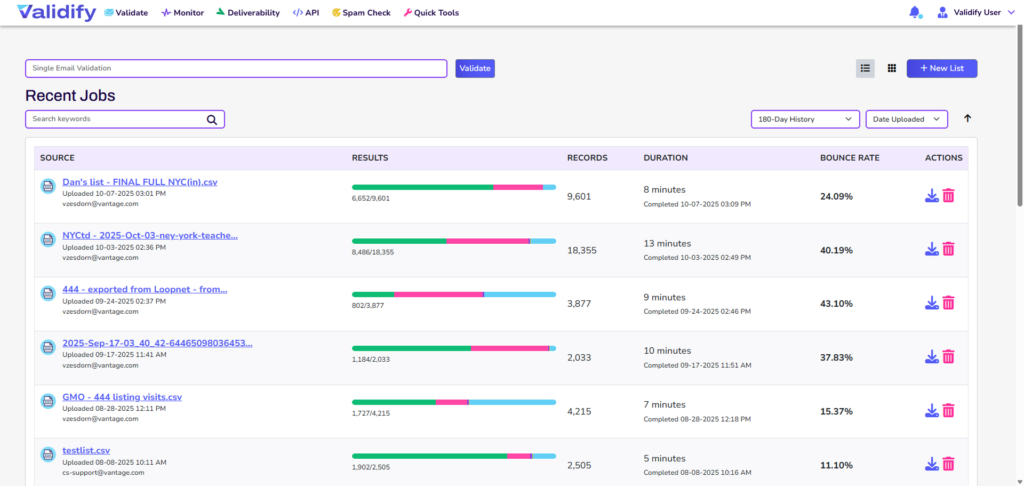
If you only do one thing, clean your email list. It’s unglamorous, it can feel like you’re throwing away contacts you worked hard to acquire, but it consistently produces results. Remove hard bounces immediately. Suppress chronic non-openers (define that based on your sending frequency, but 6 to 12 months of no engagement is a reasonable threshold). Run your list through a validation tool to catch invalid addresses, disposable email addresses, known spam traps, and high-risk domains before your next send.
At Validify.ai, we see this play out repeatedly: senders who validate before a campaign report noticeable improvements in inbox placement within a few sending cycles. It works because you’re sending better signals to the algorithms — more valid addresses, more engaged recipients, fewer complaints.
Get your authentication right
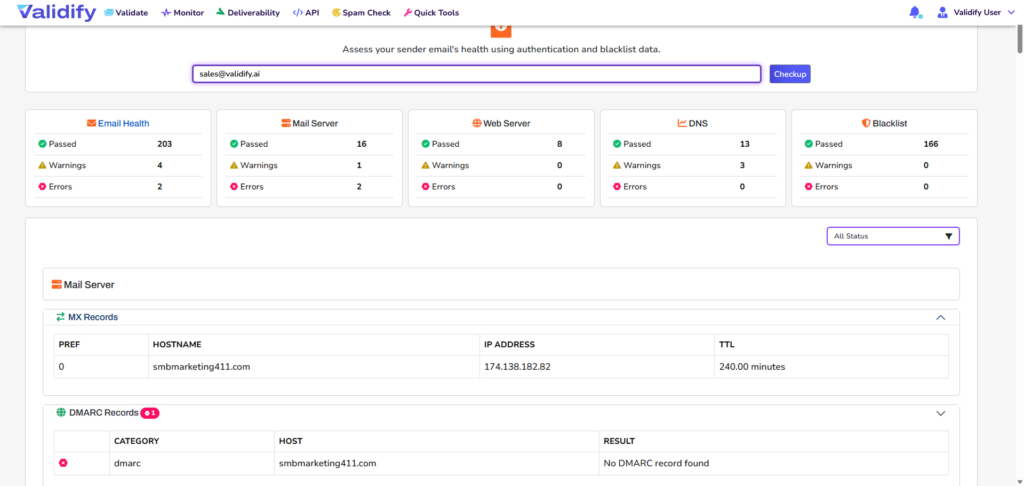
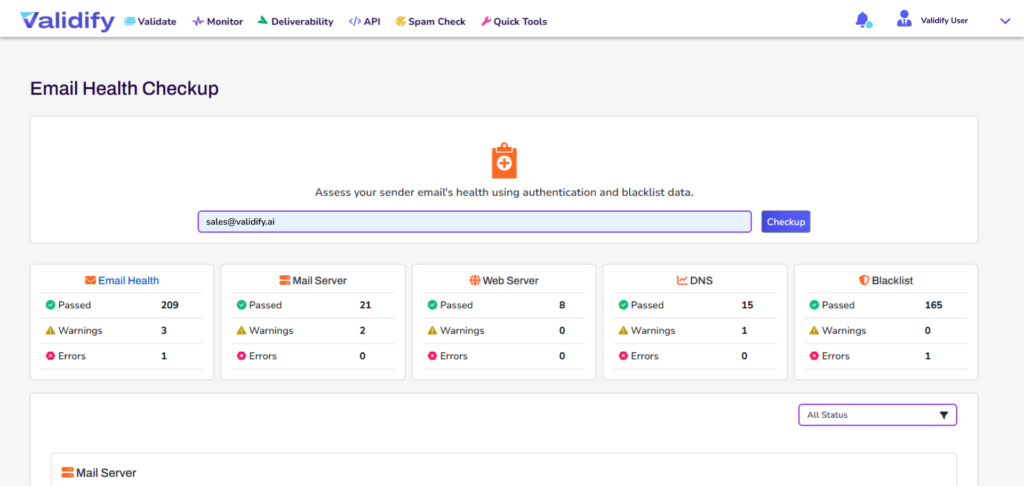
If you haven’t verified that SPF, DKIM, and DMARC are all properly configured for your sending domain, do that now. Use a tool like MXToolbox to check your SPF and DKIM records, and check your DMARC record status. If you’re at p=none, make a plan to get to p=quarantine, at least. Set up DMARC reporting so you can see what’s sending on your behalf — you may be surprised.
Warm up carefully if you’re starting fresh
New IP addresses and new domains need to earn their reputation. Don’t start by sending at full volume. Start with a small subset of your most engaged subscribers — people who regularly open and click — and gradually increase your volume over four to eight weeks. This signals to inbox providers that real people want your mail, which builds reputation before you start sending to the broader list.
Skipping this step is one of the most common ways senders end up with inbox placement problems that take months to dig out of.
Segment by engagement and honor the results
Your most engaged subscribers — the ones who open regularly, click, and reply — are your inbox placement insurance policy. They generate positive signals that help carry your less-engaged segments. Prioritize them. Segment your list by recency of engagement and send your most important campaigns to the active segment first.
For lapsed subscribers, try a re-engagement campaign before suppressing them. But if they don’t respond to that, suppress them. Continuing to mail people who haven’t engaged in a year is not optimism — it’s a slow tax on your inbox placement.
Monitor your complaint rate proactively
Set up Google Postmaster Tools if you haven’t. It’s free and it shows you Gmail-specific data on your domain reputation and complaint rates that you can’t get anywhere else. For Outlook, register for JMRP (Junk Mail Reporting Program) to get complaint data from Microsoft’s ecosystem.
If your complaint rate creeps above 0.10%, treat that as a fire drill. Something is wrong — either you’re mailing people who didn’t opt in, your unsubscribe process is broken, or your content expectations are misaligned with what subscribers signed up for.
Check the blocklists
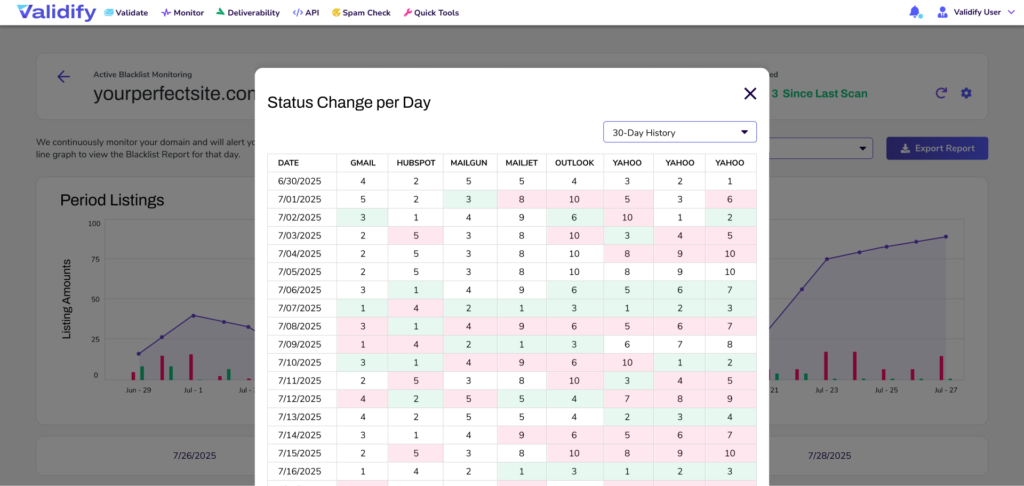
A blocklisting can happen quickly and damage your inbox placement severely while leaving your delivery rate numbers looking relatively normal. Regularly check your sending IPs and domains against Spamhaus, Barracuda, and other major blocklists. If you find yourself listed, understand why before you request delisting — if you don’t fix the underlying issue, you’ll just get relisted.
Keep your sending volume consistent
Erratic sending patterns raise flags. Suddenly quadrupling your send volume looks like a spam burst to spam filters, even if your content is completely legitimate. If you need to scale up, do it gradually. And try to maintain some consistency in when you send — extreme variation in cadence can affect reputation scoring.
How Validify.ai Fits Into This
Our tool sits squarely at the list quality end of the inbox placement problem — which, as we’ve argued above, is often the highest-leverage place to start.
Validify.ai validates email addresses at scale, identifying invalid addresses that will bounce, disposable addresses that signal low intent, role-based addresses like info@ or support@ that rarely engage, known spam trap addresses, and domains with deliverability risk flags. You can run your full list through before a campaign send or integrate our API directly into your signup forms for real-time validation so bad addresses never make it onto your list in the first place.
The real-time API option is particularly valuable because it stops the problem at the source. An invalid address that never gets added to your list never generates a hard bounce, never sits there degrading your engagement metrics, and never becomes a spam trap problem. It’s the cleanest solution.
We built Validify.ai because we saw how often inbox placement issues traced back to list quality, and how few senders were addressing that systematically. Most platforms make it easy to send — we make it easier to send well.
Frequently Asked Questions About Inbox Placement
What’s a good inbox placement rate?
Eighty-five percent or above is generally considered healthy. Strong performers are typically at 90 to 95 percent. If you’re below 80%, it’s worth investigating your list quality, authentication setup, and sending reputation before your next campaign.
If my delivery rate is 98%, why would I have inbox placement problems?
Because delivery and inbox placement measure different things. Delivery rate tells you whether the receiving server accepted the email. Inbox placement tells you where that email went after it was accepted. A 98% delivery rate with a 65% inbox placement rate is entirely possible — and not uncommon. The server accepted your email, then its spam filter routed it away from the inbox.
Does inbox placement affect sender reputation, or does reputation affect placement?
Both, and that’s what makes it tricky. Poor reputation leads to poor placement. And poor placement — because your emails sit in spam unengaged — leads to worse reputation over time. It’s a loop. That’s why it’s important to address inbox placement issues early, before the negative signals compound.
How often should I validate my email list?
Run a full validation every three to six months at minimum. If you send at high volume, validate before every major campaign. For any form where users can submit their email address — signup forms, checkout, lead gen — integrate real-time validation so bad addresses never make it to your list in the first place. Email addresses decay at roughly 2 to 3 percent per month, so older lists need more frequent attention.
Is the Gmail Promotions tab the same as spam?
No — and the distinction matters. Promotions tab placement is a form of inbox placement; your email made it past the spam filter. Whether it’s a problem depends on what you’re sending. Transactional emails or time-sensitive messages in the Promotions tab can really hurt open rates. Newsletters and marketing campaigns fare better there, since subscribers often batch-read their Promotions tab. That said, if you want to improve Primary tab placement on Gmail specifically, the most effective changes are using a more personal-sounding sender address, reducing your image load, personalizing your content, and encouraging subscribers to move your emails to Primary.
What’s the fastest way to improve inbox placement?
Honestly? Clean your list and fix your authentication. Those two things together move the needle faster than almost anything else. Removing invalid addresses and spam traps stops the bleeding on your sender reputation. Getting SPF, DKIM, and DMARC properly configured establishes you as a legitimate sender. Neither change is flashy, but both produce results within a few sending cycles. After that, the next highest-leverage moves are engagement segmentation — mailing your active subscribers more and your inactive ones less — and monitoring your complaint rate.
How do I know if my emails are going to spam?
Your ESP won’t tell you, which is the frustrating reality. To find out, you need inbox placement testing via seed lists, or you can manually check by sending to test addresses at the major providers (Gmail, Outlook, Yahoo) and seeing where they land. Tools like Validify.ai and other deliverability platforms provide more systematic inbox placement testing. You can also watch for indirect signals: if your open rates suddenly drop without any other obvious cause, a spam placement issue is high on the list of suspects.
Can content alone cause inbox placement problems?
Rarely as a primary cause, in our experience. Content filtering has become less dominant as machine learning and reputation-based filtering have improved. That said, content can compound other problems. If your reputation is already marginal, spammy-looking content can tip the balance. The practical takeaway is to fix the foundational issues first — list quality, authentication, reputation — and then look at content if you’re still having problems.
One More Thing

Inbox placement isn’t a problem you solve once. It’s a practice — a set of habits you build into how you run your email program. The senders who consistently hit the inbox aren’t doing anything exotic. They’re cleaning their lists regularly, monitoring their reputation, sending to people who actually want their emails, and paying attention when something changes.
The good news is that most inbox placement problems are fixable. They’re usually not mysterious. A blocklisting, a spike in complaints, a list full of stale addresses — these are diagnosable problems with known solutions. You just have to know where to look.
If you want to start somewhere today, start with your list. Upload it to Validify.ai and find out exactly what’s in there. You might be surprised how much of your inbox placement problem solves itself from there.