
Last Updated on August 28, 2026 by jparadiso
The 2026 Email Deliverability Compliance Checklist: What Google, Yahoo & Microsoft Now Require
Last updated August 28, 2026 — this page is maintained as requirements change. Bookmark it.
If you send email to customers, one thing is now true across every major inbox: authentication is the price of admission. Gmail, Yahoo, and Microsoft have each drawn a hard line, and messages that don’t clear it don’t land in spam — increasingly, they don’t get delivered at all.
This is the single checklist that pulls all three providers’ rules into one place. Whether you send 500 emails a month or five million, you can run down this page, confirm each requirement, and know exactly where your program stands. Every item includes what it is, who enforces it, and how to verify it — so both marketers and IT teams can work from the same source of truth.
The Short Answer: What’s Required in 2026
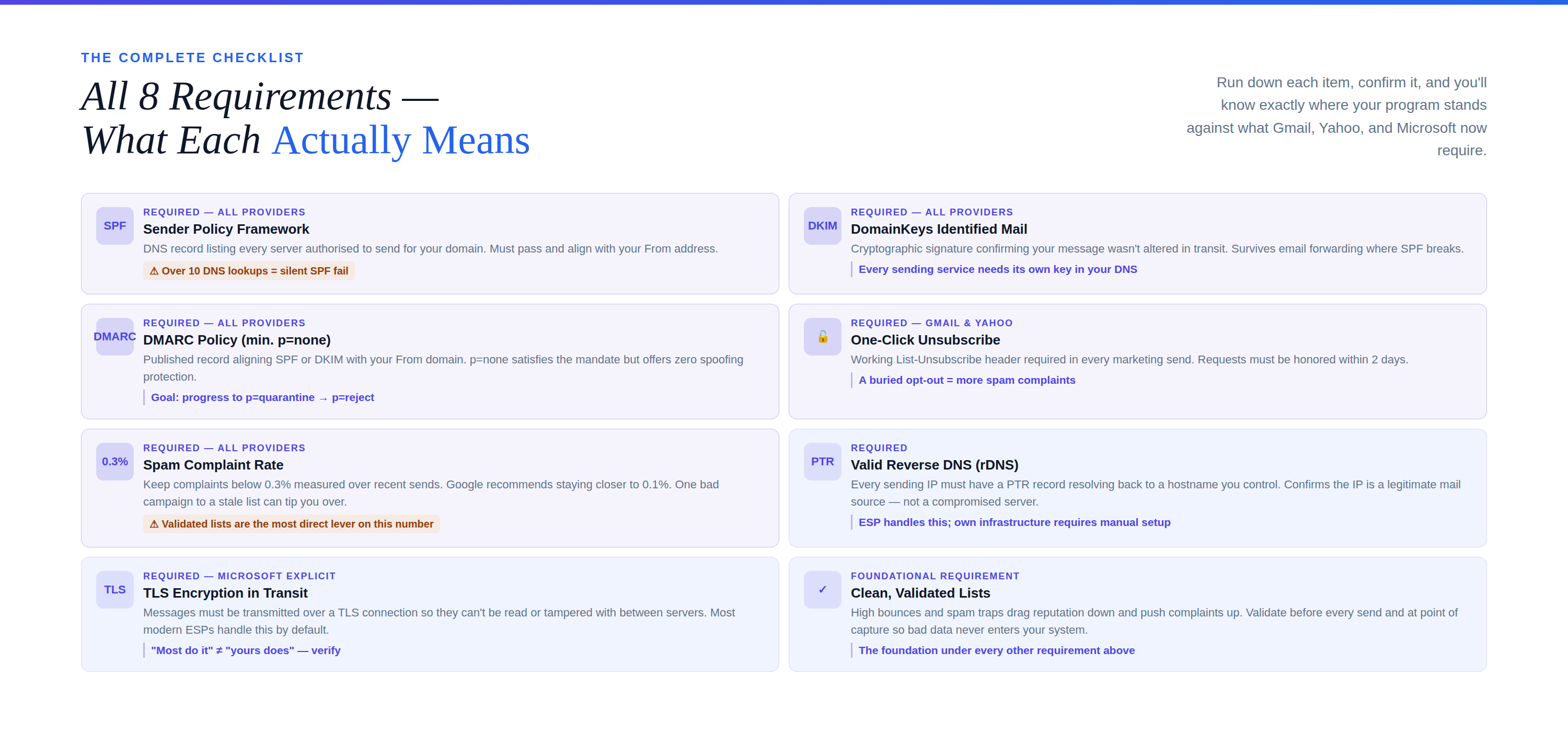
Every sender should meet these baseline requirements. Bulk senders — defined by Google, Yahoo, and Microsoft as any domain sending roughly 5,000 or more messages per day to their consumer inboxes — must meet all of them or face throttling, junking, and outright rejection.
- SPF — published, passing, and aligned with your From domain
- DKIM — configured, signing, and passing
- DMARC — a published policy of at least p=none, aligned with SPF or DKIM
- One-click unsubscribe — a working List-Unsubscribe header honored within two days
- Spam complaint rate below 0.3% — measured over time, kept as low as possible
- Valid reverse DNS (PTR) — your sending IP resolves back to your host
- TLS encryption — messages transmitted over a secure connection
- Clean, validated lists — low bounces, no spam traps, no dead addresses
⚠️ Why this matters now: Microsoft moved from “junk it” to “reject it” in 2025, matching the direction Google and Yahoo set in 2024. A message that fails these checks can be refused at the door with a 550 5.7.515 Access denied error — meaning your recipient never sees it and you may never know it failed. Monitoring is the only way to catch that blind spot. |
How the Requirements Break Down by Provider
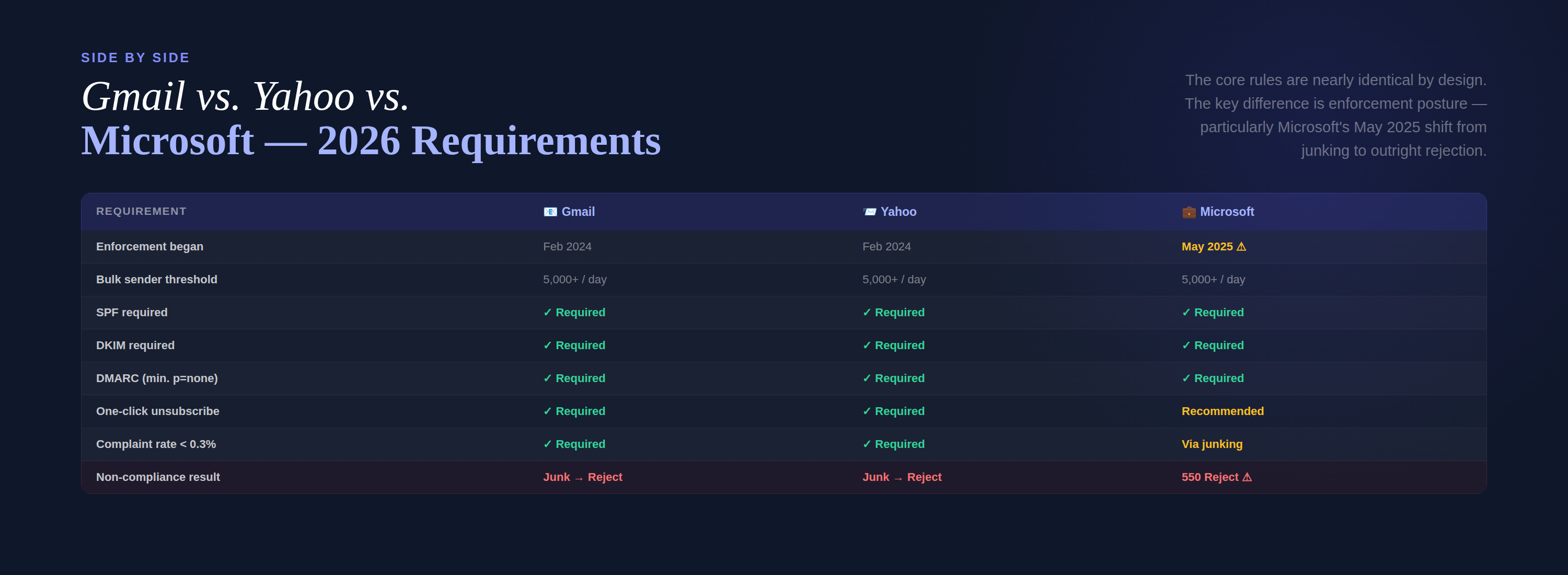
The core rules are nearly identical across all three inboxes — that’s by design. But each provider has its own thresholds and enforcement dates worth knowing.
Requirement | Google (Gmail) | Yahoo | Microsoft (Outlook / Hotmail / Live) |
Enforcement began | February 2024 | February 2024 | May 5, 2025 |
Bulk sender threshold | 5,000+/day | 5,000+/day | 5,000+/day |
SPF | Required | Required | Required |
DKIM | Required | Required | Required |
DMARC (min. p=none) | Required | Required | Required |
DMARC alignment | Required | Required | Required |
One-click unsubscribe | Required | Required | Recommended |
Complaint rate under 0.3% | Required | Required | Enforced via junking |
Non-compliance result | Junk, then reject | Junk, then reject | Reject (550 error) |
💡 Pro Tip: Don’t wait until you cross the 5,000-per-day line to comply. Providers apply the same filtering logic to smaller senders — you just have less margin for error. Setting up authentication early builds sender reputation before you scale, so a big send doesn’t trigger a sudden reputation crash. |
The Complete 2026 Compliance Checklist
Work through each item below. For every one, we’ve included the plain-English requirement and exactly how to confirm you meet it.
1. SPF — Sender Policy Framework
The requirement: Publish a DNS record listing every server and service authorized to send email for your domain, and make sure it passes and aligns with your From address.
How to verify: Check that your domain has a single, valid SPF record and that it stays under the 10-DNS-lookup limit — a limit large senders quietly blow past, which causes SPF to fail silently. A record looks like this:
v=spf1 include:_spf.google.com include:spf.protection.outlook.com include:servers.mcsv.net ~all
⚠️ Common failure: Every third-party tool you add — a new CRM, an invoicing app, a support platform — adds an include and eats into your 10-lookup budget. Exceed it and SPF breaks for all your mail at once. An email health check flags this before your recipients do. |
2. DKIM — DomainKeys Identified Mail
The requirement: Cryptographically sign your messages so receivers can confirm they weren’t altered in transit and genuinely came from your domain.
How to verify: Confirm each sending service has published its DKIM public key to your DNS and is actively signing. DKIM is also what keeps authentication intact when mail is forwarded — SPF often breaks on a forward, but a DKIM signature survives it. Use relaxed alignment where subdomains are involved.
3. DMARC — Domain-based Message Authentication
The requirement: Publish a DMARC policy of at least p=none that aligns with SPF or DKIM (ideally both). This is the non-negotiable minimum for bulk senders on all three providers.
How to verify: Confirm a valid DMARC record exists at _dmarc.yourdomain.com and that you’re collecting the aggregate reports it generates. p=none satisfies the mandate, but it only monitors — it doesn’t protect. The goal is to progress safely to p=quarantine and then p=reject, where spoofers can no longer impersonate you.
For the full walkthrough — from your first record to full enforcement — see our Complete Guide to DMARC Monitoring in 2026.
💡 Pro Tip: “Published a DMARC record” and “protected by DMARC” are not the same thing. A record at p=none checks the compliance box but leaves your domain fully spoofable. Continuous DMARC monitoring is what turns that record into real protection and a stronger sending reputation. |
4. One-Click Unsubscribe
The requirement: Marketing and bulk messages must include a working List-Unsubscribe header that lets recipients opt out in a single click, and you must honor those requests within two days.
How to verify: Send a test campaign and confirm the native “Unsubscribe” link appears at the top of the message in Gmail and Yahoo, and that clicking it removes the address promptly. A buried or broken unsubscribe drives people to hit “Report Spam” instead — which damages the one metric that hurts you most.
5. Spam Complaint Rate Below 0.3%
The requirement: Keep the share of recipients who mark your mail as spam under 0.3%, measured over your recent sends. Google recommends staying well below that — closer to 0.1%.
How to verify: Watch your complaint rate in Google Postmaster Tools and equivalent provider dashboards. Cross 0.3% and your inbox placement degrades fast; a single bad campaign to a stale list can tip you over.
⚠️ The hidden driver: Complaints climb fastest when you email people who never engaged, or addresses that shouldn’t be on your list at all. Validating your list before you send — removing invalid, risky, and spam-trap addresses — is one of the most direct levers you have on this number. |
6. Valid Reverse DNS (PTR Records)
The requirement: Your sending IP address must have a reverse DNS (PTR) record that resolves back to a hostname you control — confirming the IP is a legitimate mail source.
How to verify: Check that every sending IP has forward-confirmed reverse DNS (FCrDNS). If you send through an ESP, this is usually handled for you; if you send from your own infrastructure, confirm it with your hosting or network team.
7. TLS Encryption in Transit
The requirement: Messages should be transmitted over a TLS connection so they can’t be read or tampered with in transit. Microsoft explicitly lists this among its sender expectations.
How to verify: Confirm your mail server or ESP negotiates TLS on outbound connections. Most modern platforms do this by default — but “most” and “yours” aren’t the same thing until you check.
8. Clean, Validated Sending Lists
The requirement: Not a published rule, but the foundation under every rule above. High bounce rates, spam traps, and dead addresses drag down your reputation and push your complaint rate up.
How to verify: Run your lists through email validation before you send, and validate new addresses at the point of capture so bad data never enters your system. Clean lists reduce bounces, protect your sender reputation, and keep you comfortably inside every provider’s thresholds.
What Changed with Microsoft in 2025
For a while, Microsoft was the outlier — its consumer inboxes hadn’t formalized the rules Gmail and Yahoo rolled out in early 2024. That ended on May 5, 2025, when Microsoft began enforcing bulk sender requirements for Outlook.com, Hotmail.com, and Live.com.
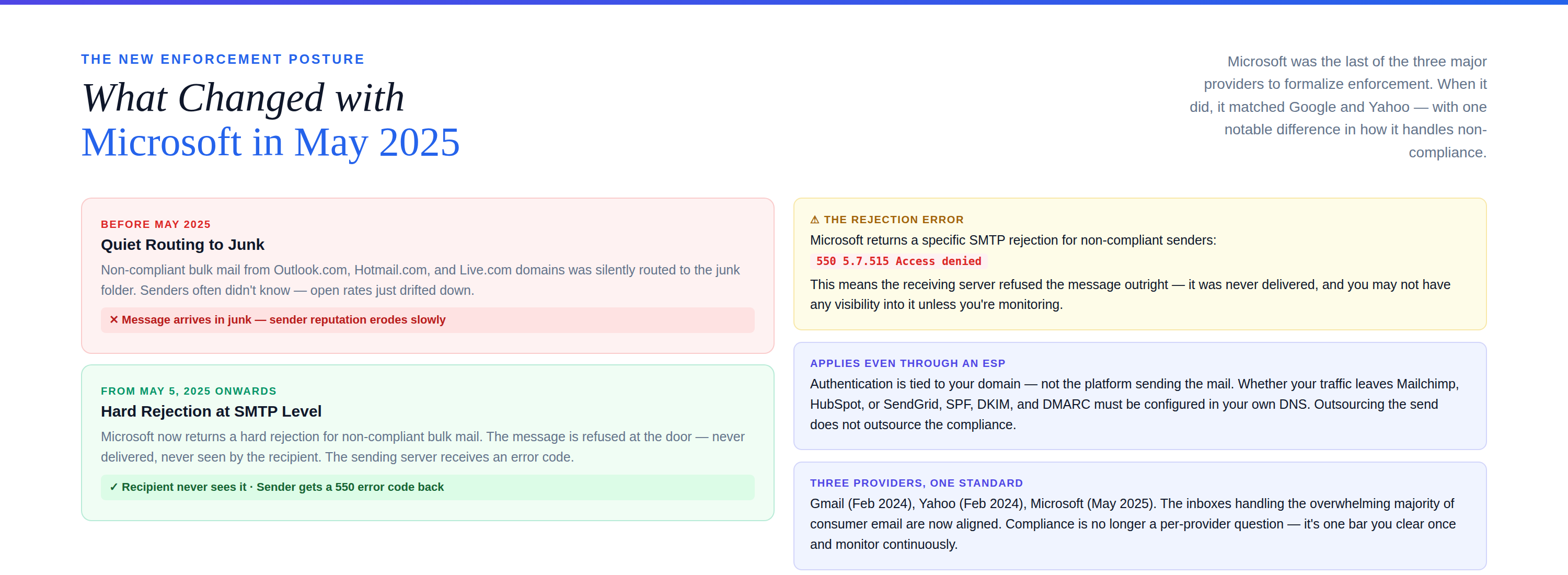
The requirements themselves mirror Google and Yahoo: SPF, DKIM, and DMARC with alignment, for any domain sending 5,000+ messages per day. What made Microsoft’s move notable is the enforcement posture. Rather than quietly routing non-compliant mail to junk indefinitely, Microsoft moved toward rejecting it outright — returning a 550 5.7.515 Access denied error that tells the sending server the message won’t be accepted until authentication is fixed.
⚠️ This applies even if you use an ESP. Authentication is tied to your domain, not the platform sending the mail. Whether your traffic leaves Mailchimp, HubSpot, SendGrid, or your own server, SPF, DKIM, and DMARC have to be configured in your DNS. Outsourcing the send does not outsource the compliance. |
The takeaway: the three inboxes that handle the overwhelming majority of consumer email are now aligned on one standard. Compliance is no longer a Gmail question or an Outlook question — it’s a single bar you clear once and monitor continuously.
How to Verify Your Compliance in One Pass
Reading a checklist is one thing; confirming you actually meet it is another. Here’s the fastest path from “I think we’re compliant” to “I know we are.”
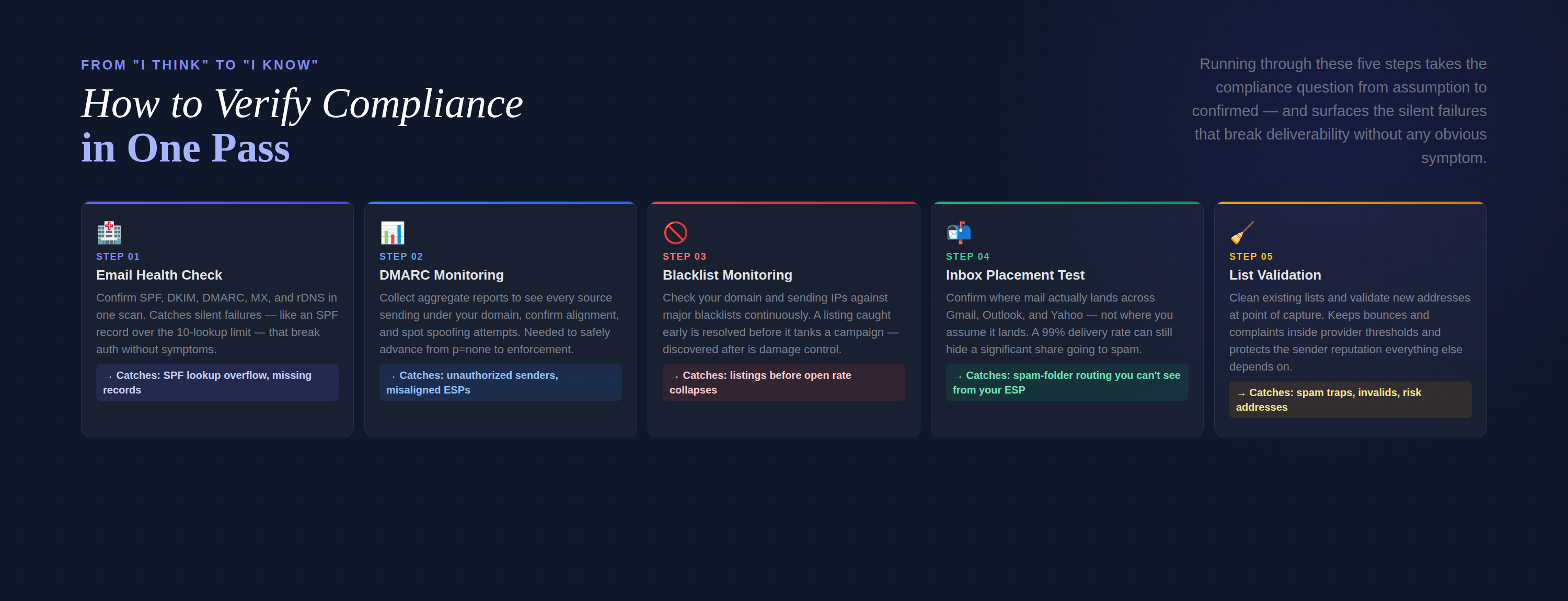
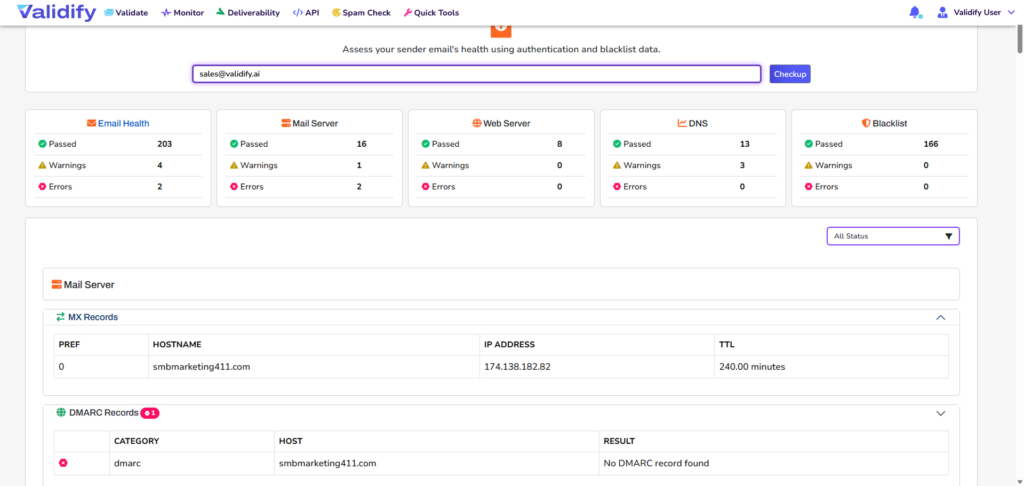
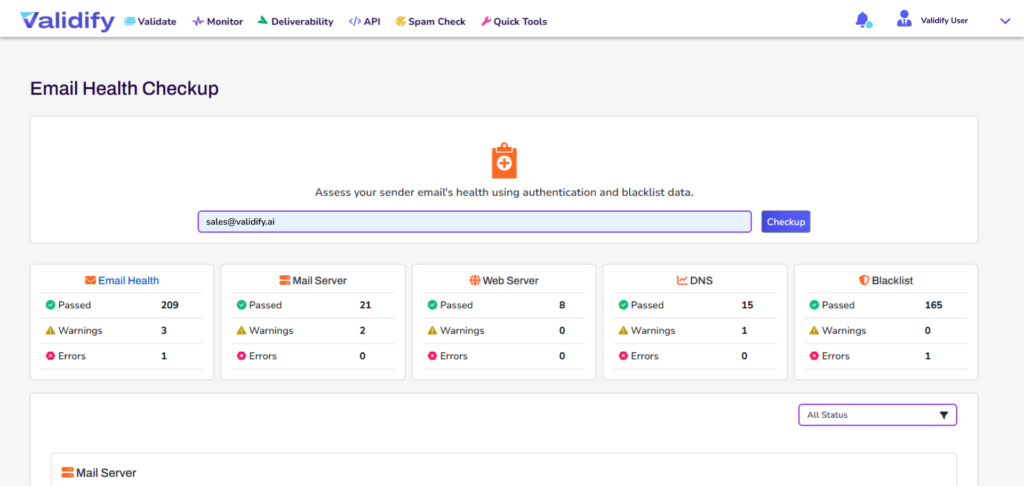
- Run an email health check. Confirm SPF, DKIM, DMARC, MX, and reverse DNS are all present and correctly configured in one scan. This catches the silent failures — like an SPF record over the lookup limit — that break authentication without any obvious symptom.
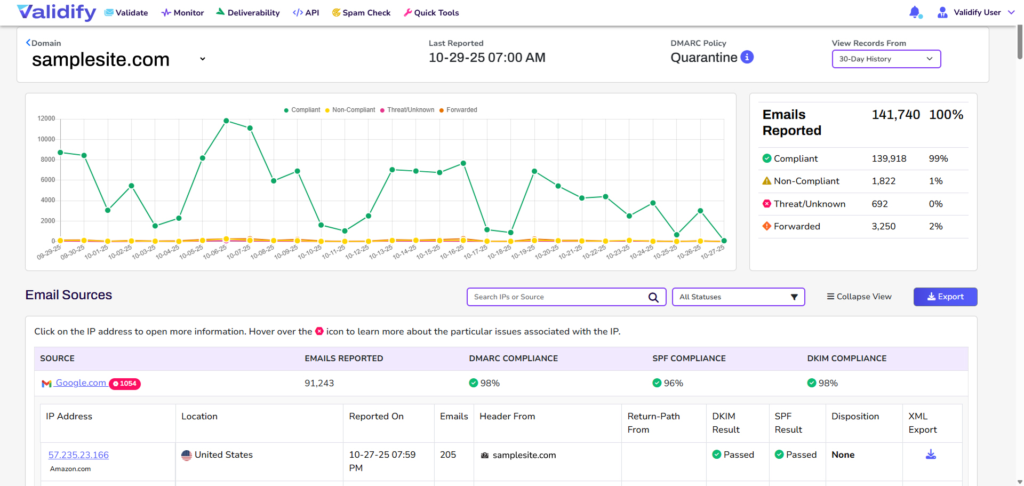
- Turn on DMARC monitoring. Collect and read your aggregate reports so you can see every source sending under your domain, confirm they’re aligned, and spot spoofing attempts. This is what lets you move safely from p=none to enforcement.
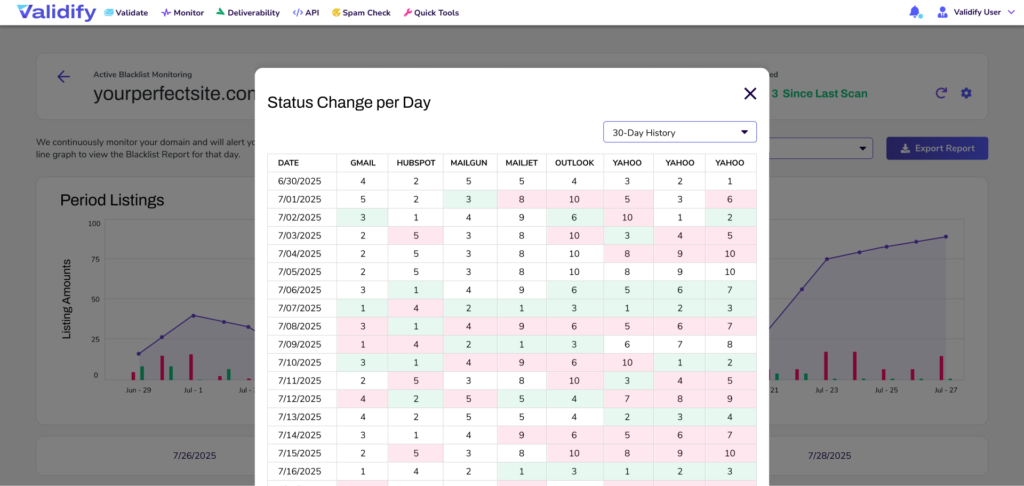
- Monitor your blacklist status. Check your domain and sending IPs against major blacklists on an ongoing basis, so a listing gets caught and resolved before it tanks a campaign.
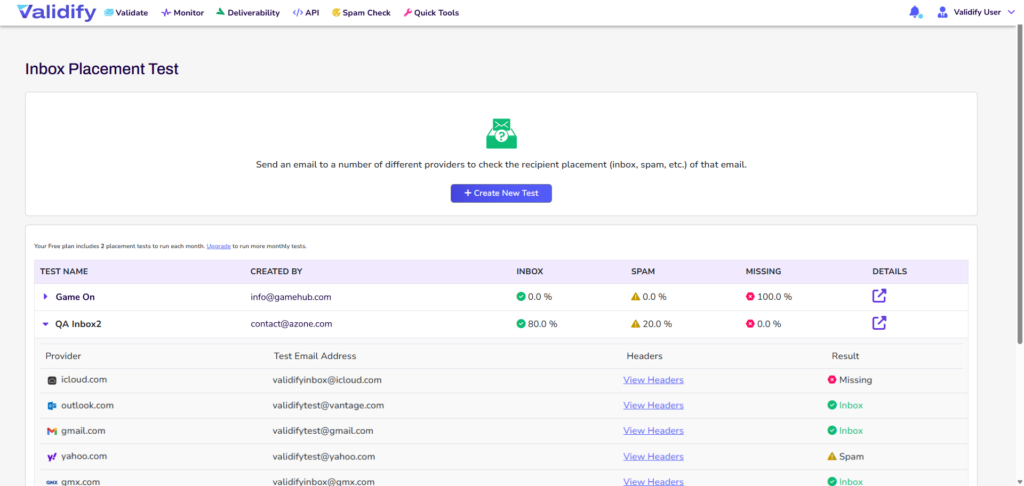
- Test inbox placement. Confirm where your mail actually lands across Gmail, Outlook, and Yahoo — not where you assume it lands. A 99% delivery rate can still hide a large share of messages sitting in spam.
- Validate your lists. Clean existing lists and validate new addresses at capture to keep bounces and complaints down and your reputation up.
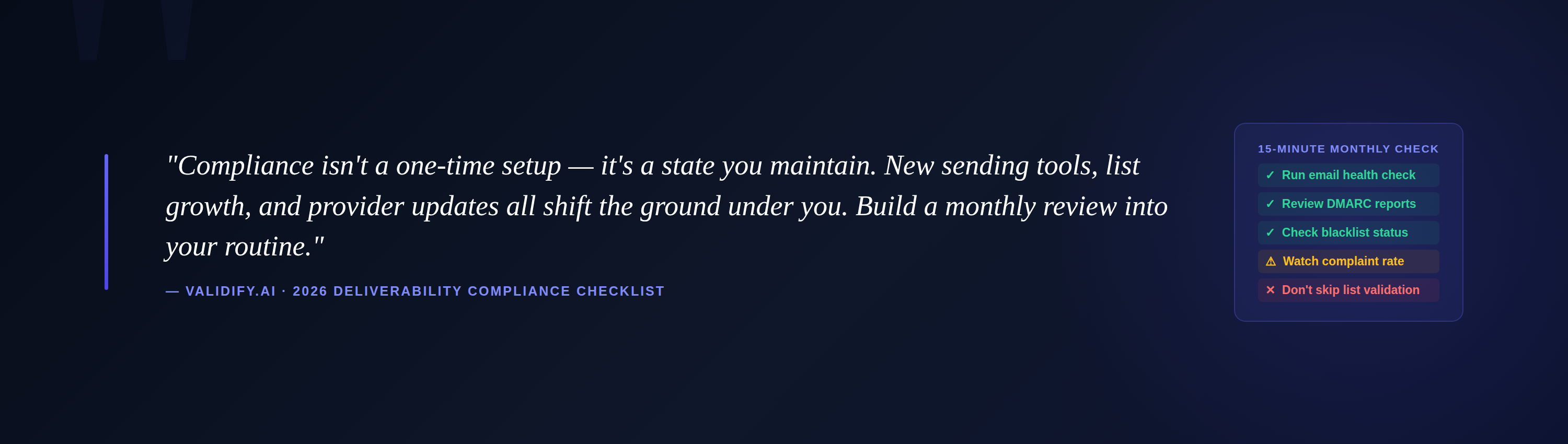
✅ Best Practice: Compliance isn’t a one-time setup — it’s a state you maintain. New sending tools, list growth, and provider updates all shift the ground under you. Build a monthly review into your routine: health check, DMARC reports, blacklist status, complaint rate. Fifteen minutes a month beats a blocked launch. |
Key Takeaways
- Gmail, Yahoo, and Microsoft now enforce one shared standard: SPF, DKIM, and DMARC with alignment for bulk senders (5,000+/day).
- Microsoft’s May 2025 enforcement means non-compliant mail can be rejected outright, not just junked.
- A published DMARC record at p=none meets the mandate but offers no real protection — progress to p=reject and monitor continuously.
- Keep your spam complaint rate under 0.3% (aim for 0.1%) and give recipients a working one-click unsubscribe.
- Authentication is tied to your domain — using an ESP does not make compliance someone else’s job.
- Clean, validated lists are the foundation under every requirement: they lower bounces and complaints and protect your reputation.
Frequently Asked Questions
Do these requirements apply to small businesses, or only large senders?
The formal bulk-sender mandate targets domains sending 5,000 or more messages per day, but every sender benefits from meeting it. Providers apply the same filtering logic to smaller volumes — you simply have less margin for error. Setting up SPF, DKIM, and DMARC early builds reputation before you scale.
What happens if my emails aren’t compliant?
Consequences range from throttled delivery and junk-folder placement to outright rejection. Microsoft returns a 550 5.7.515 Access denied error for non-compliant bulk mail, meaning the message is refused and your recipient never receives it — often without any obvious signal to you.
Is a DMARC policy of p=none enough to be compliant?
Technically yes — p=none satisfies the minimum requirement. But it only monitors; it doesn’t stop anyone from spoofing your domain. Full protection comes from progressing to p=quarantine and then p=reject once you’ve confirmed your legitimate mail is passing authentication.
Do I still need to comply if I send through a platform like Mailchimp or HubSpot?
Yes. Authentication is tied to your sending domain, not the platform. SPF, DKIM, and DMARC must be configured in your own DNS regardless of which service delivers the mail.
How do I know if I’m actually meeting all of this?
Run an email health check to confirm your authentication records, enable DMARC monitoring to verify alignment and catch spoofing, watch your complaint rate and blacklist status, and validate your lists before sending. Together these confirm compliance and surface problems before they cost you deliverability.
Ready to Confirm You’re Compliant?
Validify checks your sender health, monitors DMARC and blacklists, and validates your lists — so you can meet every provider requirement and prove it, without decoding DNS records by hand.
No credit card required • Setup in minutes • Built for marketers and IT teams alike
About Validify: Validify is an email deliverability platform that combines advanced email validation with comprehensive deliverability monitoring — email health checks, DMARC monitoring, blacklist monitoring, inbox placement testing, and list validation — helping organizations of all sizes meet provider requirements, protect their domains, and reach the inbox.
This checklist is maintained to reflect the current requirements published by Google, Yahoo, and Microsoft. It is provided for general guidance and does not constitute legal or compliance advice.