DMARC Monitoring

Protect Your Domain. Defend Your Brand.

DMARC monitoring helps you spot unauthorized senders, prevent spoofing, and build trust. Validify makes it simple to understand and manage your DMARC setup—even if you’re not a security expert.

Spot unauthorized senders, prevent spoofing, built trust

Because Email Security Isn’t Optional

If your domain is misused by unauthorized senders, your reputation suffers. DMARC monitoring gives you visibility into who’s sending on your behalf—so you can detect spoofing attempts, improve deliverability, and build trust with ISPs and recipients. It also helps ensure your email authentication setup (SPF and DKIM) is aligned and compliant with modern security standards.

Take Control with Validify DMARC Monitoring

Validify continuously monitors your DMARC reports and distills them into simple, actionable insights. Whether you’re just starting out or fine-tuning an existing setup, we help you stay secure and informed.
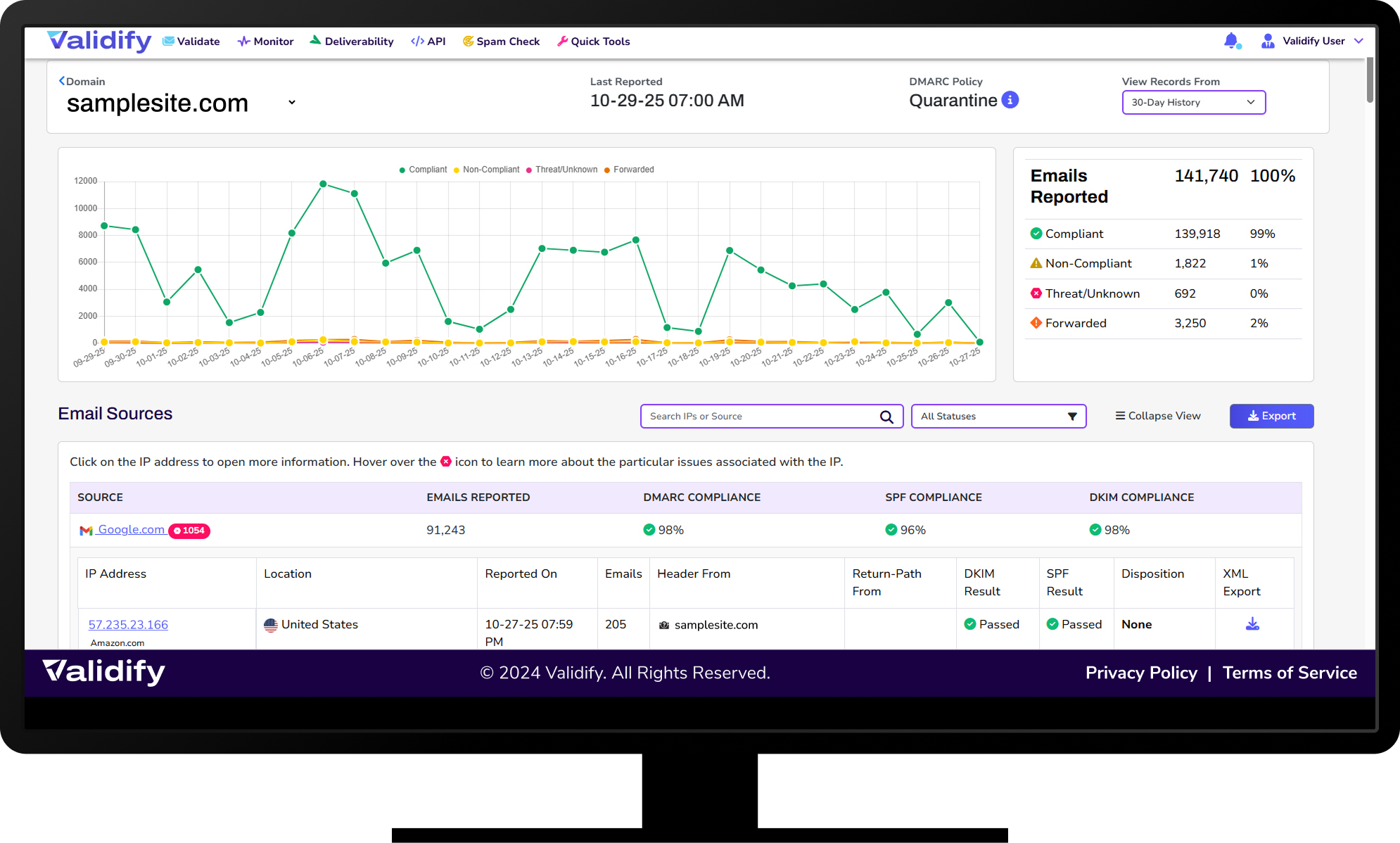
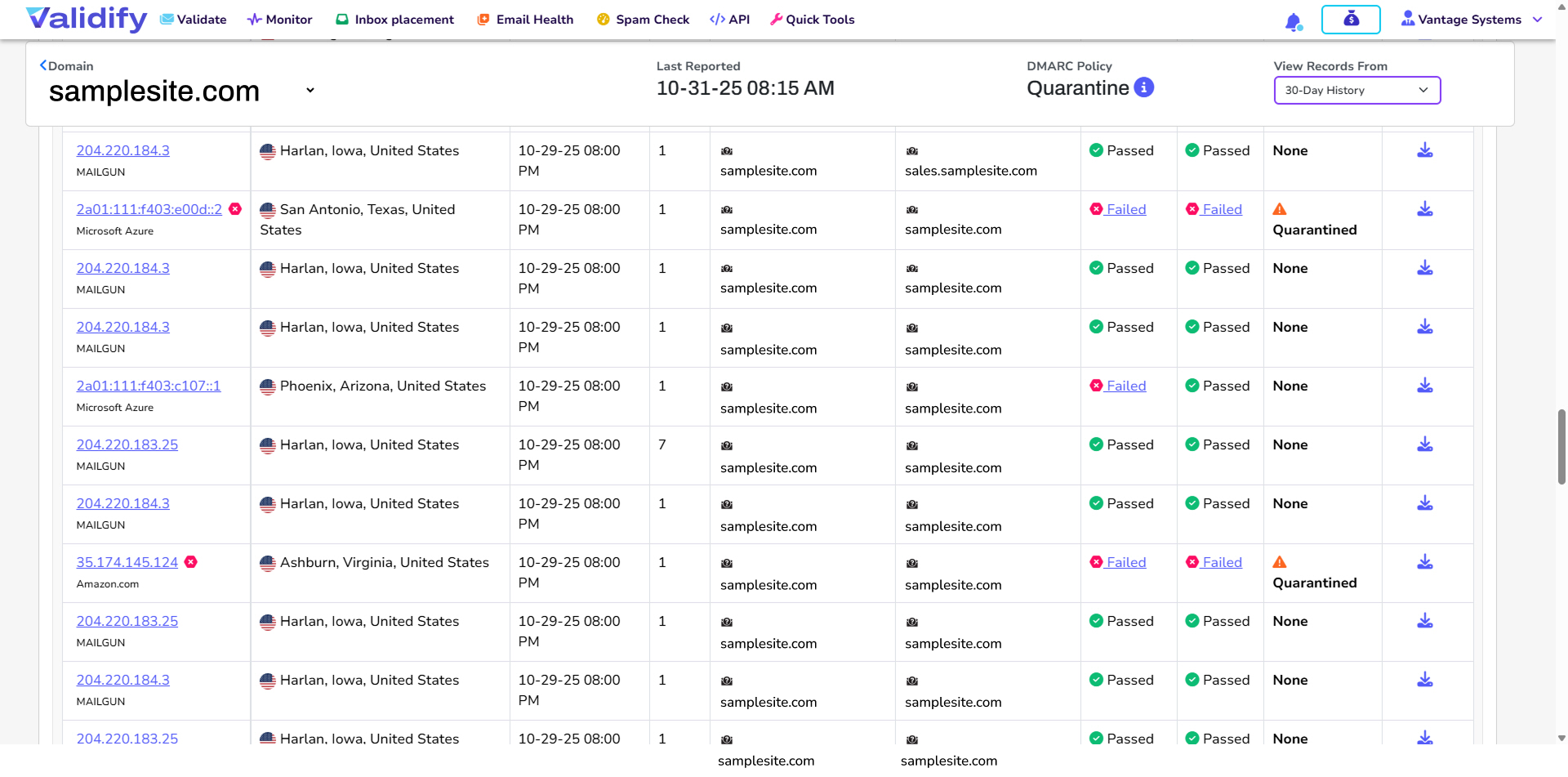
continuous monitoring of DMARC reports

DMARC Traffic Visibility

See Who’s Sending on Your Behalf

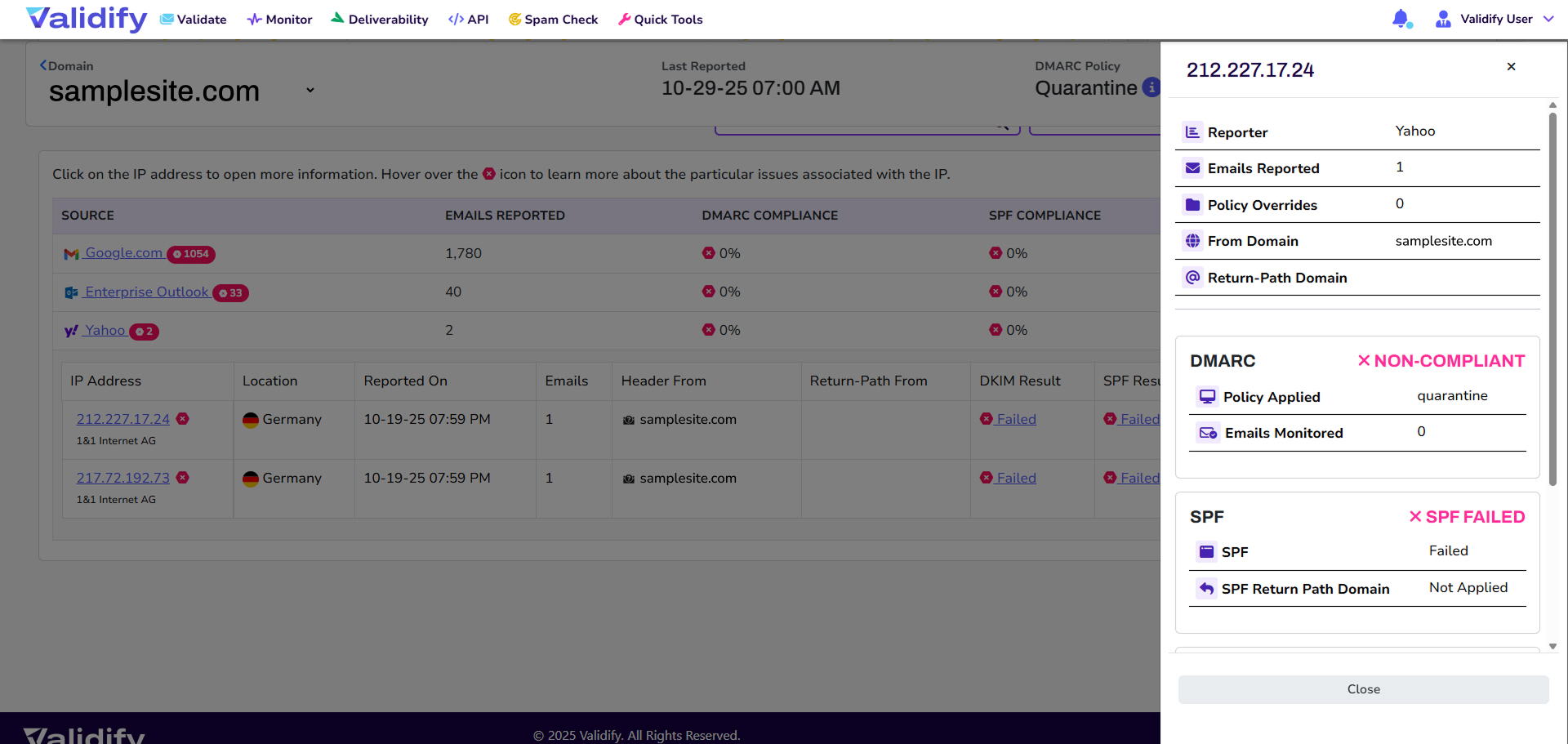
We collect and organize DMARC XML reports from mail servers around the world, giving you full visibility into all traffic using your domain—including third-party services and suspicious senders.

DMARC XML reports from mail servers around the world
Monitor SPF and DKIM alignment, DMARC policy setup

SPF & DKIM Alignment Monitoring

Ensure Authentication Records Are Working Properly

We track how your SPF and DKIM records are performing across all email sources. You’ll be alerted to any misalignment issues that could cause legitimate messages to fail authentication or land in spam.

Threat Detection & Spoofing Alerts

Catch Unauthorized Senders in Real Time

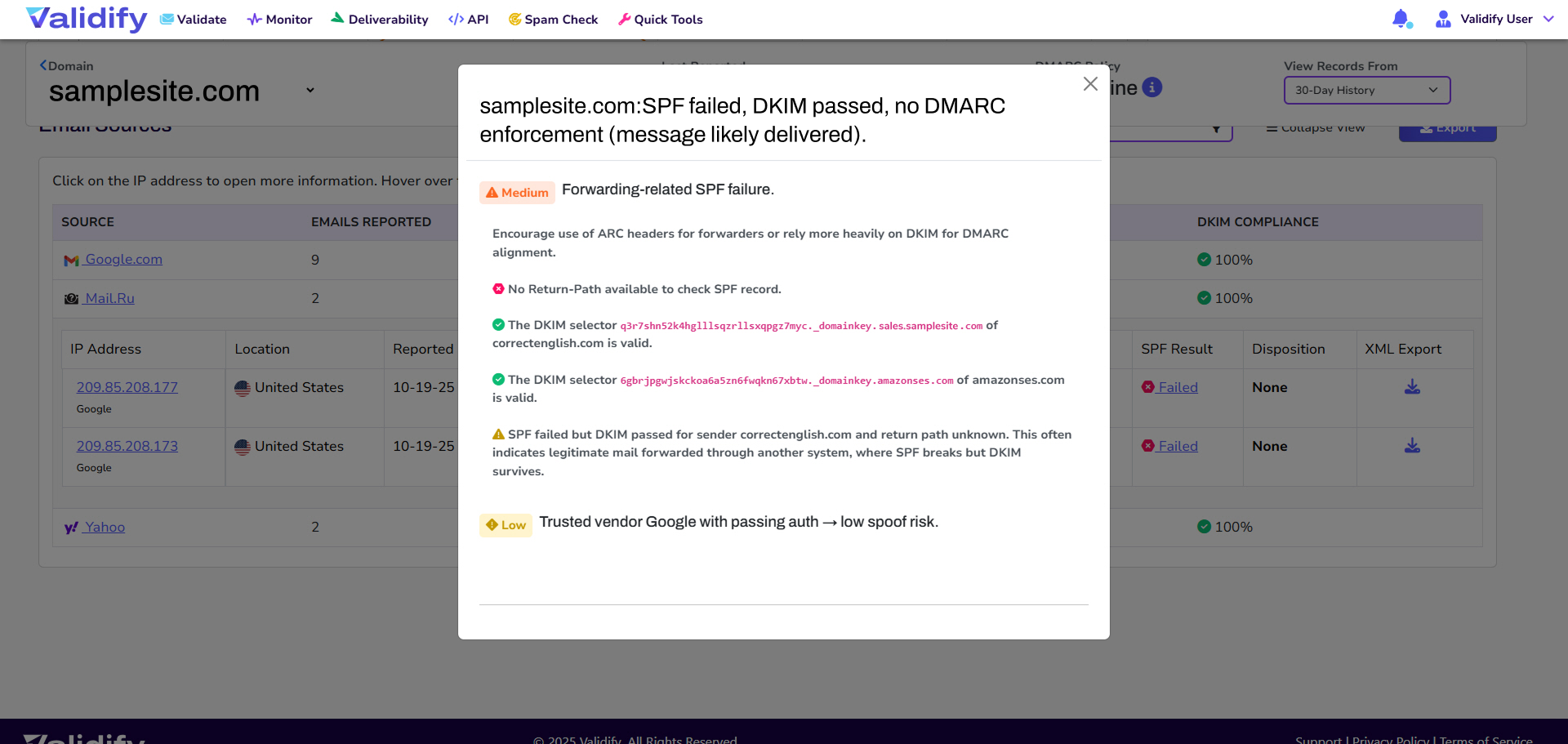
Our system flags email traffic that fails authentication or appears to be spoofing your domain—helping you act quickly to prevent abuse, phishing attempts, or damage to your brand reputation.

flag emails that fail authentication potential spoofing
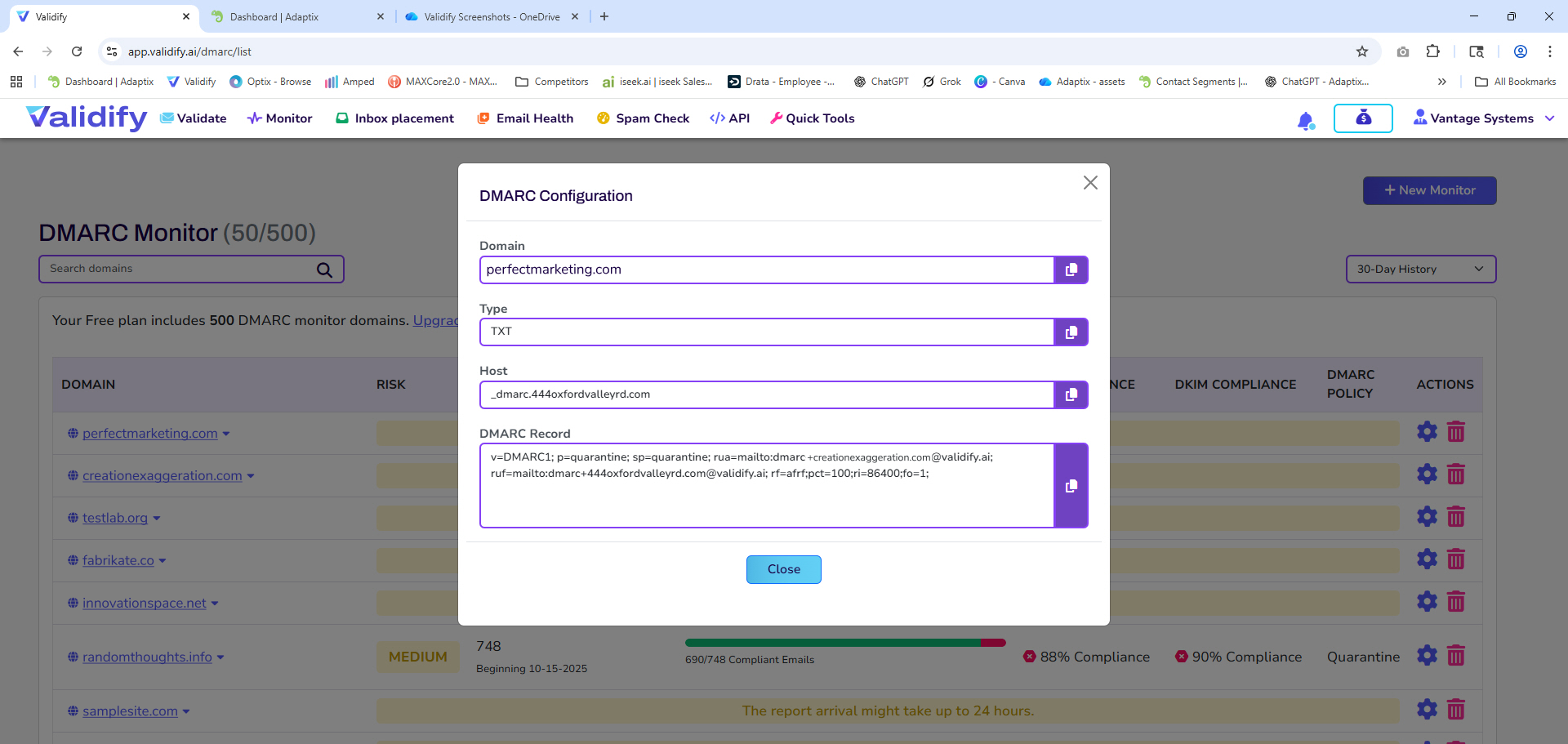
Guidance of DMARC policy, quarantine or reject

DMARC Policy Guidance

Configure the Right Policy for Your Needs

Not sure whether to set your DMARC policy to none, quarantine, or reject? We provide specific guidance based on your traffic patterns, helping you move from monitoring to enforcement with confidence.

Visual Dashboards & Reporting

Understand Complex Data at a Glance

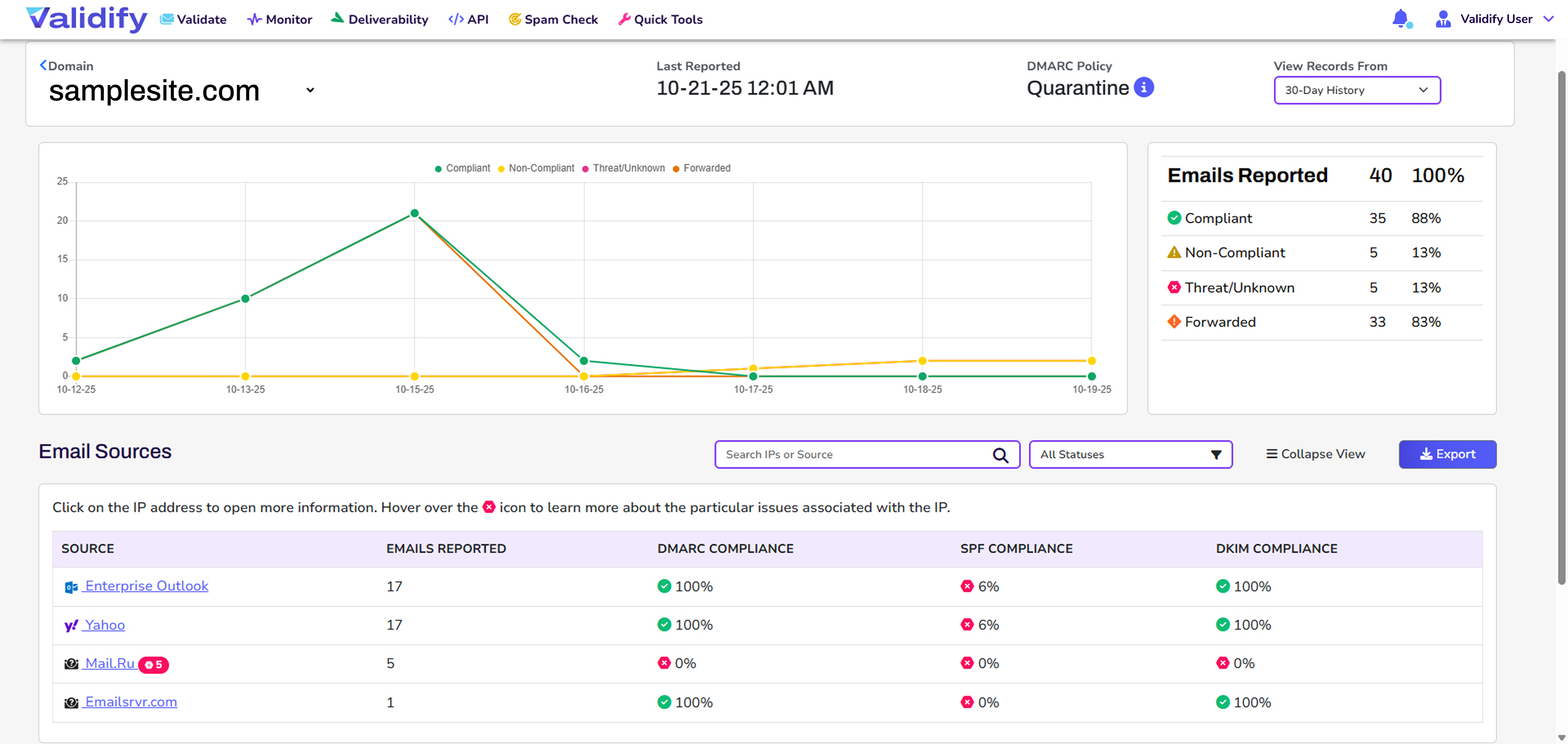
Our intuitive dashboards turn raw XML reports into clear, actionable visuals. Spot trends, identify issues, and make smarter decisions without needing a background in email security.

View complex XML reports as actionable visuals

Take Control with Validify DMARC Monitoring

Validify continuously monitors your DMARC reports and distills them into simple, actionable insights. Whether you’re just starting out or fine-tuning an existing setup, we help you stay secure and informed.
DMARC Traffic Visibility

See Who’s Sending on Your Behalf

We collect and organize DMARC XML reports from mail servers around the world, giving you full visibility into all traffic using your domain—including third-party services and suspicious senders.

SPF & DKIM Alignment Monitoring

Ensure Authentication Records Are Working Properly

We track how your SPF and DKIM records are performing across all email sources. You’ll be alerted to any misalignment issues that could cause legitimate messages to fail authentication or land in spam.

Threat Detection & Spoofing Alerts

Catch Unauthorized Senders in Real Time

Our system flags email traffic that fails authentication or appears to be spoofing your domain—helping you act quickly to prevent abuse, phishing attempts, or damage to your brand reputation.

DMARC Policy Guidance

Configure the Right Policy for Your Needs

Not sure whether to set your DMARC policy to none, quarantine, or reject? We provide specific guidance based on your traffic patterns, helping you move from monitoring to enforcement with confidence.

Visual Dashboards & Reporting

Understand Complex Data at a Glance

Our intuitive dashboards turn raw XML reports into clear, actionable visuals. Spot trends, identify issues, and make smarter decisions without needing a background in email security.

Common DMARC Monitoring Questions

DMARC monitoring shows you who is sending email using your domain, whether those messages authenticate correctly, and where failures are coming from—so you can stop spoofing and prevent legitimate mail from being filtered. Validify continuously monitors DMARC reports and converts them into actionable visibility, alignment insights, and alerts.

DMARC aggregate reports are XML summaries sent by receiving mail systems that show authentication outcomes by source IP and domain. Validify collects and organizes DMARC XML reports and presents them in dashboards so you can quickly identify legitimate sources, unknown senders, and failure patterns without parsing raw files.

DMARC requires that either SPF or DKIM passes and aligns with the visible “From” domain. That means SPF can “pass” for a third-party domain while still failing DMARC if it doesn’t align with your From domain—one of the most common reasons legitimate mail gets flagged. Validify explicitly monitors SPF/DKIM performance and alerts on misalignment that can cause inboxing problems.

DMARC policies are published in DNS and tell receivers what to do with non-aligned mail: none (monitor), quarantine (treat as suspicious), or reject (block). The pct tag lets you roll out enforcement gradually by applying the policy to a percentage of failing mail while you confirm all legitimate sources are aligned; Validify provides guidance based on your traffic patterns so you can move to enforcement safely.

Yes. Google’s sender guidance and enforcement references DMARC presence and alignment for bulk senders, including specific failure/rate-limit error reasons tied to missing DMARC and misaligned From domains. Microsoft has also announced SPF/DKIM/DMARC compliance requirements for domains sending over 5,000 emails/day to Outlook.com properties, with progressive enforcement.

Start by using DMARC monitoring to inventory every sender using your domain (including third parties), then fix each source so SPF and/or DKIM aligns with your From domain. Only after alignment is stable should you increase enforcement (none → quarantine → reject), optionally using pct during rollout; Validify is designed around this workflow with visibility, alignment monitoring, and policy guidance.